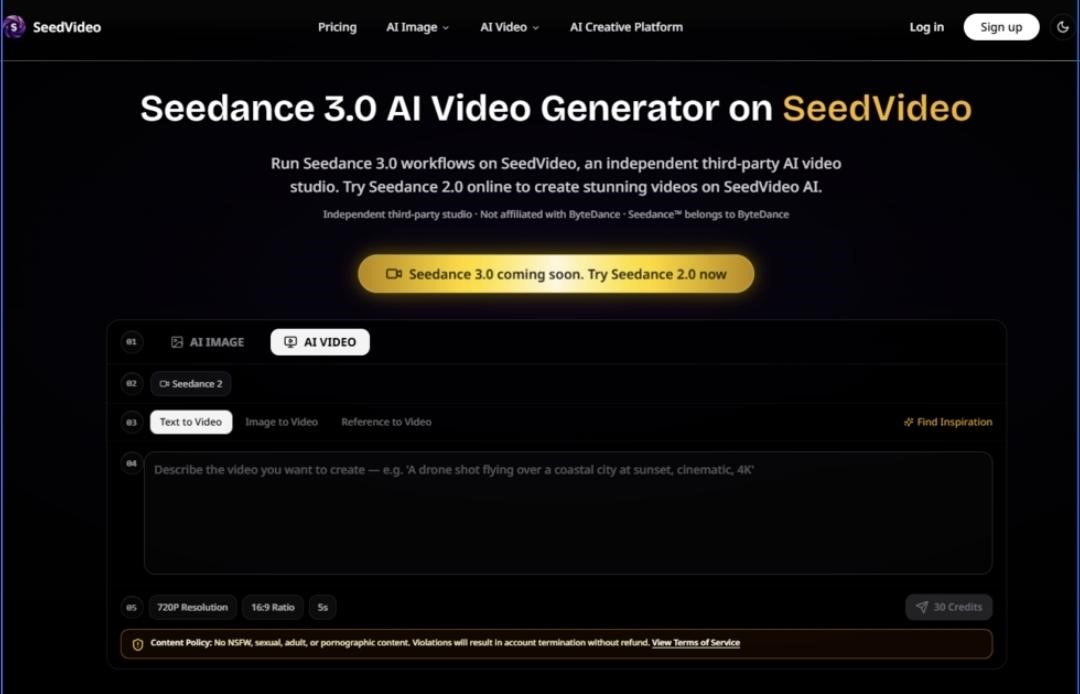
The gap between describing a video and actually directing one has always been the friction point in AI video generation. For months, the conversation has been dominated by prompt engineering—crafting the perfect string of words to coax a model into something resembling your mental image. But a different approach has been quietly gaining traction, one that treats uploaded visuals, audio, and motion clips as first-class citizens in the creative process. Seedance 3.0 sits at the center of this shift, and SeedVideo provides a browser-based studio to actually run it. After spending time with the platform, what emerges is not a text-to-video tool with a few extra knobs, but a fundamentally different way of composing AI-generated footage—one that feels less like guessing and more like storyboarding.
A Testing Framework Built Around Reference, Not Revelation
Any honest assessment of an AI video tool needs to start with a clear framework, because the output quality varies so wildly across use cases. Rather than running a single prompt through every available setting, I approached SeedVideo through four distinct creative scenarios that reflect how working creators actually use these tools. The first scenario involved maintaining a specific character’s appearance across multiple generated clips—a notorious weak point for generative video. The second tested whether uploaded motion could reliably transfer to a new scene without breaking physics or losing intent. The third examined how well the platform handles audio-synced generation, where rhythm and timing matter as much as visual fidelity. The fourth focused on iterative editing: taking a generated clip and extending or modifying it without starting from scratch. Across all four, the common thread was reference control—how effectively uploaded assets anchor the output, and how much of that control survives the generation process.
The Multi-Modal Input Layer: More Than Just Uploading Files
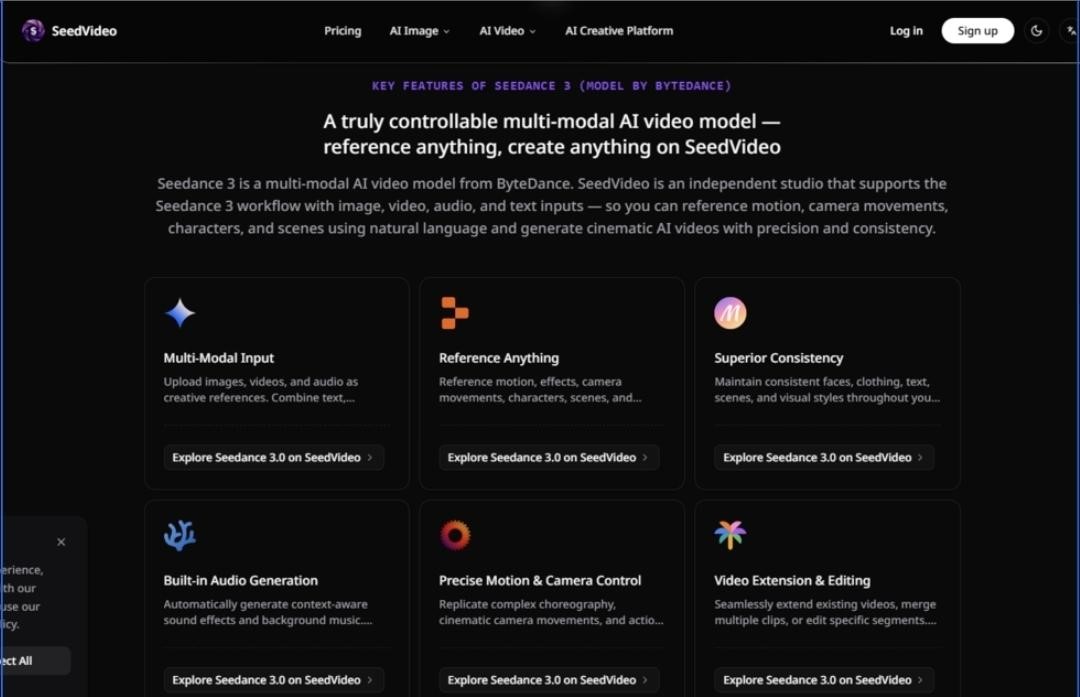
The most distinctive feature of SeedVideo’s workflow is how it handles input. Rather than funneling everything through a single text prompt, the platform accepts up to nine images, three videos, and three audio files as creative references in a single generation task. This isn’t a gimmick—each input type serves a functional purpose. An uploaded image anchors visual style and character identity. A video clip communicates camera movement, scene transitions, or action timing. An audio file sets the rhythmic and emotional tone for the entire piece. The platform then combines these references with natural language descriptions, allowing creators to tag specific uploaded assets with @ symbols to guide the AI’s attention.
In practice, this changes the creative dynamic considerably. Instead of writing “a woman in a red coat walks through a rainy city street, camera pans left to right,” you can upload a reference image of the character, a short clip showing the desired panning motion, and describe the setting in text. The AI has concrete visual and motion anchors to work from, rather than interpreting abstract descriptions. From a practical user perspective, this reduces the first layer of guesswork that plagues text-to-video workflows. The result may vary depending on the quality and clarity of the references, but the starting point is substantially more controlled.
Upload References: Building the Visual Vocabulary
The upload process itself is straightforward. Images establish visual consistency—faces, clothing, color palettes, and scene composition all inherit from what you provide. Video references do more than just set a visual example; they communicate motion language, camera techniques, and scene transitions. Audio references, meanwhile, allow the platform to generate context-aware sound effects and background music that sync to the provided beat or mood. This multi-layered input structure means you’re not just describing a scene—you’re effectively building a visual and sonic brief that the model follows.
Describe Vision: Natural Language as the Glue
Once references are uploaded, the next step involves describing the desired video concept in natural language, using @ tags to reference specific uploaded assets. This tagging mechanism is critical because it tells the model exactly which reference to prioritize for which element. If you upload three different character images, tagging @char1 in your description ensures consistency across generations. The same applies to scene references, motion clips, and audio files. The language input acts as the connective tissue, weaving the various references into a coherent narrative direction.
Generate and Iterate: From First Clip to Finished Piece
Generation produces an initial video output, but the workflow doesn’t end there. SeedVideo supports seamless video extension, allowing users to continue a clip forward or backward while preserving continuity. It also enables editing of specific segments—modifying elements by describing the change in natural language while supplying the original video as a reference. This iterative loop, where a clip becomes a starting point rather than a finished product, represents a significant departure from the “one and done” generation model. You can refine, extend, and adjust without rebuilding from scratch, which changes the economics of experimentation.
Consistency as the Real Metric: What the Model Actually Preserves
The promise of reference-based generation is consistency, and this is where SeedVideo’s underlying model shows its strengths—and its limits. In testing, the platform maintained consistent faces, clothing, and visual styles across multiple generations with noticeably less drift than purely text-driven approaches. Characters generated from reference images retained their identity across scene changes, and uploaded motion patterns transferred to new contexts with reasonable fidelity.
However, consistency isn’t absolute. Complex scenes with multiple interacting elements sometimes produced results that required multiple generation attempts. The model appears to handle single-subject reference well, but crowded compositions or intricate physical interactions can introduce inconsistencies. The result may vary depending on the complexity of the scene and the clarity of the references provided. This isn’t a failure of the platform—it’s a realistic limitation of current generative video technology, and SeedVideo is transparent about the fact that output quality depends heavily on input quality.
Editing and Extension: Where the Workflow Gains Practical Value
The editing capabilities deserve separate attention because they fundamentally change how you interact with generated content. Instead of treating each generation as a final product, you can extend videos forward or backward while the model treats the final frames of the uploaded clip as the authoritative reference for continuity. This means you can generate a short clip, evaluate it, and then extend it in either direction without losing visual coherence.
Modifying existing videos is equally practical. You can add, remove, or alter elements by describing the change in natural language and supplying the original video as a reference. The model preserves the original motion and camera work while applying your edits. For creators who need to iterate quickly—adjusting a character’s expression, changing a background element, or refining a camera move—this eliminates the need to regenerate everything from scratch. It also reduces the cost of experimentation, because you can make targeted adjustments rather than burning credits on full regenerations.
Audio Integration: More Than Background Noise
One of the more interesting capabilities involves audio synchronization. The platform can generate context-aware sound effects and background music that sync to uploaded audio or music beats. This goes beyond simply adding a soundtrack—the generation process considers rhythm and timing as creative inputs. For music videos, dance content, or any project where audio drives the visual pacing, this creates a tighter integration between sound and image than most text-to-video tools offer. In practice, the audio sync worked best with clear, rhythmic references; more subtle or ambient audio produced less pronounced visual synchronization.
Who Benefits Most from This Workflow
Different creators will extract different value from SeedVideo’s approach. For marketers producing promotional videos with brand and product integration, the ability to reference existing brand assets and replicate proven visual formats is directly useful. For social media creators, referencing trending styles and effects while maintaining consistent character identities across posts reduces production friction. For filmmakers working on pre-visualization, replicating camera movements and visual effects by referencing film clips provides a practical storyboarding tool.
Independent studios and creators tracking Seedance 3.0 developments for practical application will find the platform useful as an unaffiliated access point. Digital artists experimenting with AI video generation workflows benefit from the multi-modal input structure, which offers more creative control than prompt-only systems. The platform is less suited for creators who need turnkey results with minimal input effort—the reference-based workflow demands more upfront preparation but delivers more controlled outputs.
A Practical Comparison: Reference-First vs. Prompt-Only Approaches
| Aspect | SeedVideo (Reference-First) | Typical Prompt-Only Tools |
| Input Method | Multi-modal references + natural language | Single text prompt |
| Creative Control | High—anchored by uploaded visuals, motion, audio | Low—relies entirely on prompt interpretation |
| Consistency | Stronger—faces, clothing, scenes persist across generations | Weaker—subject to drift between generations |
| Iteration Cost | Lower—extend and edit existing clips | Higher—full regeneration for each change |
| Learning Curve | Steeper—requires understanding reference mechanics | Shallower—just write and generate |
| Best Use Case | Character-driven narratives, branded content, motion reference | Quick conceptual exploration, abstract ideas |
Where the Platform Shows Its Limitations
No tool is without constraints, and SeedVideo is no exception. The platform explicitly prohibits generating NSFW, sexual, adult, or pornographic content, with account termination for violations. It also operates as an independent third-party studio, with no affiliation with ByteDance, Google, OpenAI, or Alibaba. This means users are accessing Seedance 3.0 through a third-party interface rather than directly from the model developer.
From a practical standpoint, the quality of output depends heavily on the quality of input references. Poorly chosen or low-resolution references produce correspondingly poor results. Complex scenes with multiple interacting elements may require multiple generation attempts to achieve satisfactory results. The platform’s effectiveness varies across use cases—what works well for character-driven narratives may not perform as strongly for abstract or highly dynamic scenes. These aren’t deal-breakers, but they’re realistic constraints that any creator should factor into their workflow planning.
The Workflow That Changes How You Think About Generation
Stepping back from the feature list, what SeedVideo offers is a different mental model for AI video creation. Instead of treating generation as a black box that interprets your words and hopes for the best, it positions you as a director assembling a brief—visual references, motion samples, audio cues, and descriptive language all working together. The platform doesn’t eliminate the unpredictability of generative AI, but it narrows the range of possible outputs in a way that makes the creative process more intentional.
For creators who have grown frustrated with the slot-machine quality of prompt-only video generation, this reference-first approach offers a meaningful alternative. It requires more preparation but delivers more predictable results. It doesn’t claim to replace traditional filmmaking or animation, but it does provide a practical bridge between conceptualization and execution. The platform’s real value lies not in any single feature but in the cumulative effect of a workflow designed around creative control rather than creative guessing.
Seedance 3.0 AI Video Generator runs on SeedVideo as an independent studio, and the combination of multi-modal inputs, reference tagging, and iterative editing creates a genuinely different creative experience. The results may vary, the learning curve is real, and the technology still has room to grow. But for creators who want to direct rather than describe, the director’s chair is now a browser tab away.