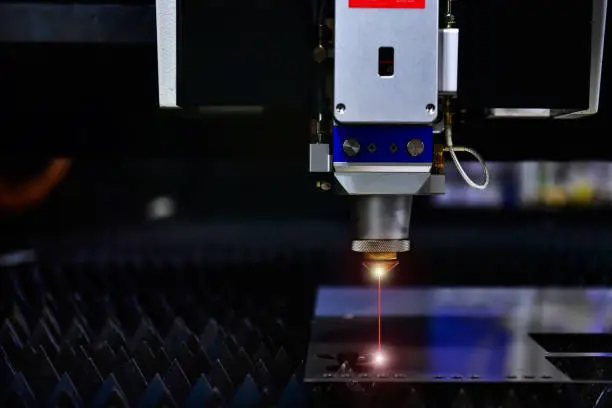
Workshop productivity depends on how smoothly each job moves from design to finished product. Manual cutting, marking, and shaping can involve several tools and repeated handling. These steps may slow production when orders require detailed patterns or consistent dimensions. Laser technology offers a way to combine several tasks within one production process.
A laser cutting and engraving machine can process designs directly from digital files. It can mark surfaces, create detailed patterns, and cut compatible materials into specific shapes. This makes it useful for sign production, product packaging, decorative panels, and custom components.
However, productivity does not depend on laser power alone. A laser cutting and engraving machine also requires suitable capacity, software, material compatibility, and operator experience. These factors all affect production output. Understanding them helps workshops build a process that produces consistent results without unnecessary delays.
How CO2 Technology Turns Digital Designs Into Finished Products
A CO2 system uses concentrated infrared energy to process suitable materials. It follows instructions from design software and moves its cutting head across the work surface. This allows operators to create detailed artwork without direct contact between a cutting tool and the material.
How Does a CO2 Laser Machine Work for Cutting and Engraving?
A CO2 laser engraving machine generates its beam inside a sealed tube containing a gas mixture that includes carbon dioxide. Electrical energy excites the gas and produces an infrared laser beam. Mirrors direct this beam toward the cutting head, where a focusing lens concentrates it onto the material.
The focused energy heats the surface and removes material through burning, melting, or vaporization. The machine follows a programmed design using a computer-controlled movement system. Air assist helps remove smoke and debris from the processing area.
The difference between engraving and cutting comes from the processing settings. Engraving marks the surface by removing a controlled layer of material. Cutting uses enough energy to pass through the material and create separate pieces.
Materials That Work Well With CO2 Systems
CO2 technology is commonly used for non-metal materials. Wood, acrylic, leather, cardboard, paper, and selected fabrics are suitable applications. It can also create surface markings on glass and certain coated materials.
Acrylic is particularly useful for signs, displays, and decorative products. Wood supports furniture details, personalized gifts, and interior decorations. Leather and fabric can be used for patterns, labels, and custom accessories.
Material composition still matters. Some plastics and treated materials release harmful fumes during laser processing. Always verify material compatibility before starting a job.
Fiber and CO2 Lasers Serve Different Production Needs
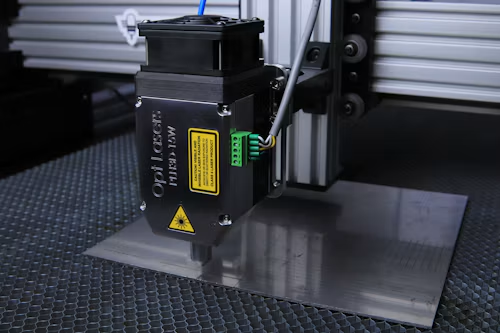
Choosing between laser technologies requires a clear understanding of the materials being processed. Both systems use focused energy, but their light sources and wavelengths differ. This affects how they interact with metals and non-metal materials.
What Are the Main Differences Between Fiber Laser Cutting and CO2 Laser Cutting?
Fiber lasers generate their beam through an optical fiber containing specially treated elements. Their shorter wavelength is strongly absorbed by many metals. This makes them suitable for cutting and marking materials such as stainless steel, aluminum, brass, and other industrial metals.
CO2 systems use a gas-based laser source with a longer wavelength. They are commonly used for processing wood, acrylic, leather, paper, and textiles. Their material compatibility makes them useful for workshops producing signs, decorative products, and non-metal components.
The main difference is the type of production each system supports. Fiber technology is generally preferred for metal processing, while CO2 technology suits many non-metal applications. A workshop should choose according to its regular material requirements rather than comparing power ratings alone.
Improving Workflow From Design to Final Output
A well-planned laser workflow can reduce unnecessary handling and repeated preparation. Operators can prepare artwork digitally, arrange multiple designs, and send production instructions directly to the machine. This helps maintain consistency across repeated orders.
Organizing Designs Before Production
Start by preparing artwork in a suitable design application. Vector files are useful for cutting paths, while raster images support photographs and shaded engravings. Check the dimensions and placement before sending the design to the machine.
Separate cutting and engraving operations into different layers when the software supports this feature. Assign suitable settings to each operation. This reduces the risk of applying cutting settings to artwork that only requires surface marking.
Use the machine’s preview or framing function to check the working position. This helps prevent designs from extending beyond the material. A short inspection before starting can save an entire sheet from being wasted.
Software Compatibility and Machine Control
Software plays an important role in production accuracy. Check which file formats and controller systems the machine supports. Some applications offer design tools, while others focus on machine control and job preparation.
The interface should allow adjustments to power, speed, passes, and engraving intervals. These settings affect how the machine processes different materials. Operators should maintain separate settings records for commonly used materials and thicknesses.
Learning Laser Operation Before Increasing Production
A workshop can improve its results by training operators before handling customer orders. Understanding focus, positioning, software, and material behavior reduces avoidable mistakes. It also helps workers identify problems before they affect a finished product.
Can You Recommend Tutorials for Laser Cutting and Engraving?
Start with the machine manufacturer’s operating manual and setup instructions. These resources explain the specific requirements of the equipment. They should cover installation, focusing, cooling, ventilation, and basic operation.
Software documentation is another useful learning resource. The LightBurn getting-started guide explains device setup, artwork preparation, layers, cutting settings, previews, and job positioning. It provides a structured starting point for new operators.
Practical training should include small test projects. Begin with scrap material and test different power and speed combinations. Record the results and repeat the process whenever the material or machine setup changes.
Operators should also learn basic maintenance and safety procedures. Training should explain emergency stops, fire prevention, exhaust systems, and protective equipment. Never leave an active laser cutting job unattended.
Selecting Equipment That Fits Your Workshop
The right machine should support your existing production process. Buying equipment with unnecessary capacity can increase setup and operating demands. A system that is too small may also create restrictions when larger orders arrive.
What Should You Consider When Choosing a Laser or CNC Machine for Your Workshop?
First, identify the materials and products you handle most often. A CO2 system may suit workshops working with acrylic, wood, and other non-metals. A fiber laser is more suitable for businesses focused on metal processing.
Next, examine the working area. Measure the largest components you expect to produce and compare them with the usable bed dimensions. Consider pass-through openings if your work involves longer sheets or panels.
Check the machine’s construction and movement system. A stable frame, accurate rails, reliable motors, and suitable optical components support consistent operation. Also review the cooling arrangement and available replacement parts.
Software compatibility deserves equal attention. Confirm that the machine works with your preferred design and control applications. Operators should be able to import files, adjust settings, preview jobs, and manage repeated production tasks.
A CNC machine may be more suitable when the work requires drilling, milling, carving, or cutting with physical tools. Laser systems are better suited to non-contact marking and thermal cutting. Some workshops may benefit from having both technologies for different production requirements.
Keeping Production Consistent Over Time
Equipment performance depends on regular inspection and proper operating conditions. Dust, smoke residue, and mechanical wear can affect the results of repeated jobs. A simple maintenance routine helps identify these issues early.
Clean mirrors and lenses according to the manufacturer’s instructions. Check belts, rails, alignment, and cooling systems at suitable intervals. Inspect air assist and extraction connections before production sessions.
Record settings for common materials and designs. This creates a reference for future orders and helps different operators follow the same process. It also makes troubleshooting easier when the finished result changes unexpectedly.
Safety should remain part of the daily workflow. Use suitable extraction to control smoke and airborne particles. Keep flammable materials away from the work area and maintain suitable fire protection. Only process materials that have been checked for laser compatibility.
Making Productivity a Measurable Goal
A laser setup should solve specific production problems. It may reduce manual marking, simplify repeat designs, or allow a workshop to produce custom components internally. The results depend on how well the equipment fits the actual workload.
Start by tracking the time required for design preparation, machine setup, processing, and finishing. Compare these figures with your previous production method. Also monitor material waste, rejected pieces, and maintenance requirements.
A laser cutting and engraving machine can support a more organized production process when operators understand its capabilities. Choosing suitable technology and building repeatable workflows matter more than purchasing equipment based on specifications alone.
Frequently Asked Questions
Can one laser machine perform both cutting and engraving?
Yes. Many CO2 machines support both operations. Operators change the power, speed, and other settings according to the material and desired result.
Is a CO2 laser suitable for metal cutting?
Standard workshop CO2 systems are generally designed for non-metals. Fiber systems are usually preferred for cutting ordinary metal sheets.
Does laser engraving require special software?
Yes. The machine needs compatible control software to process designs and manage its movements. Software requirements depend on the controller and equipment.
How can I improve laser cutting accuracy?
Maintain correct focus, secure the material, check alignment, and use tested settings. Regular cleaning and mechanical inspections also support consistent results.
What is the difference between a laser and a CNC machine?
A laser uses concentrated light energy to process material without physical cutting contact. A CNC machine commonly uses rotating or moving tools to cut, drill, or shape material.