Smart glasses can help you present more confidently by reducing the pressure to memorize every line and giving you a quieter way to stay on track. Instead of glancing down at paper notes or back at a laptop, you can keep your eyes up and your delivery more connected to the room. That matters in meetings, pitches, lectures, and live demos where confidence often comes from flow, not perfection. Used well, smart glasses support pacing, transitions, and recovery when your mind blanks, helping you sound prepared without appearing rigid or overly rehearsed to an audience.
What Can Smart Glasses Change About Presenting?
Refer to Your Notes Without Repeatedly Looking Down
One of the biggest changes smart glasses bring to presenting is simple: your notes stay in view without forcing you to look down every few sentences. That small shift can improve eye contact, posture, and overall presence. Instead of breaking connection with your audience to check a phone, notecard, or laptop screen, you can keep speaking with fewer visible interruptions. The result is a delivery that feels smoother and more self-assured. Smart glasses also reduce the mental load of memorizing exact wording, which helps many speakers relax. When your key points are available at a glance, you can focus more on emphasis, timing, and speaking clearly rather than worrying about forgetting what comes next.
Keep Your Prompts Aligned With Your Speaking Pace
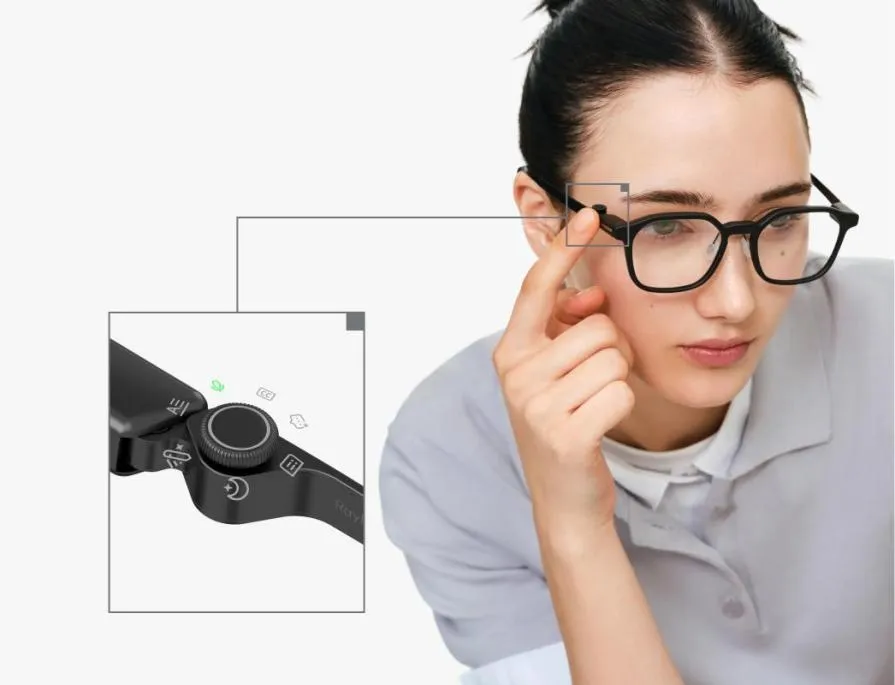
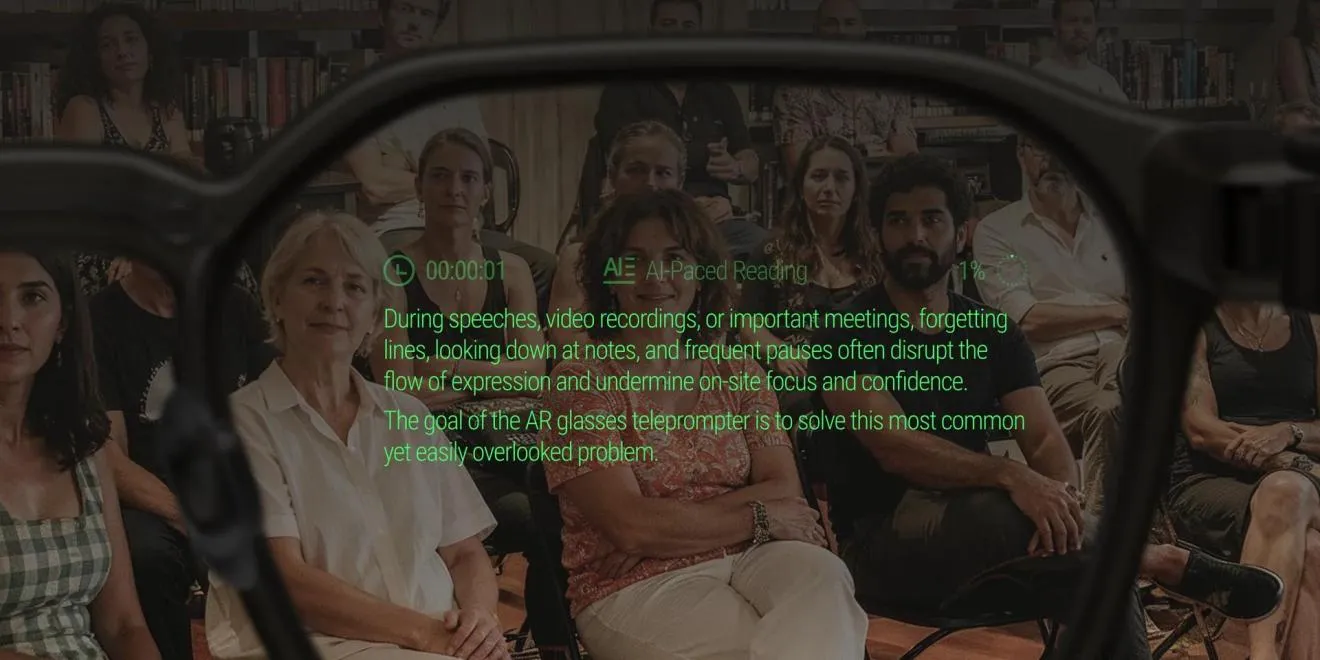
Prompts only help if they move at the right speed. If text advances too quickly, you rush. If it lags, you pause awkwardly or repeat yourself. Smart glasses can improve confidence by keeping prompts aligned with your natural speaking pace, making delivery feel steadier and less forced. The RayNeo iO Smart Glasses include an invisible AI teleprompter on a 33-Inch Transparent Display, and advanced voice-tracking technology syncs the scrolling text with your natural speaking rhythm. That setup helps you stay focused on your message instead of manually controlling notes. When prompts follow your cadence, transitions feel more natural, and you are less likely to lose momentum during longer presentations or high-pressure moments.
How to Prepare Smart Glasses for Your Next Presentation?
Build Prompts Around Key Points and Transitions
The best teleprompter prompts are not full scripts. Build your smart glasses prompts around key points, examples, numbers, and transitions so you can speak naturally instead of reading word for word. Start by breaking your presentation into short sections with a clear purpose for each one. Then write brief cue lines that remind you what to say next, how to shift topics, and where to pause for emphasis. Include opening and closing lines if those are the parts you most want to lock in. This approach keeps the display clean and easy to follow. It also makes you sound more conversational, because you are responding to prompts rather than reciting dense blocks of text.
Test Readability Before You Speak
Before presenting, test whether your prompts are actually easy to read while standing, moving, and speaking at normal speed. A prompt that looks fine while seated can feel cramped or distracting once you begin presenting. Check line length, text spacing, and how much content appears at once. Shorter phrases usually work better than long sentences because they are easier to process quickly. Run through the full presentation at least once using the same lighting conditions and speaking distance you expect on the day. Make adjustments where your eyes hesitate or where the prompt pulls attention away from the audience. Readability testing helps prevent last-minute friction and gives you one less thing to worry about onstage.
How to Build Confidence Through Rehearsal?
Practice Looking Up and Speaking Beyond the Prompts
Confidence grows when smart glasses support your delivery without becoming your only crutch. During rehearsal, practice looking up, scanning the room, and finishing ideas in your own words even after reading a prompt. That habit trains you to treat the display as guidance rather than a script. It also makes your tone more natural, because you are thinking about meaning instead of just reading text. Try pausing after each prompt to expand on the point with an example or explanation. Then rehearse again with fewer words visible so you rely more on structure than exact phrasing. This method strengthens recall, improves audience connection, and makes your presentation feel more flexible and convincing.
Rehearse Questions, Interruptions, and Losing Your Place
Real presentations rarely unfold exactly as planned, so confidence depends on recovering smoothly when something breaks your rhythm. Rehearse with interruptions on purpose. Pause for imagined questions, restart after a distraction, and practice jumping back in after losing your place. Smart glasses can help here because your next point remains available, reducing the panic that often follows a mental blank. Still, you should train for recovery, not just rely on the prompt. Practice summarizing the previous point in one sentence, then moving forward cleanly. Rehearse short answers to likely questions and cue yourself back to the main structure. When you know you can recover calmly, nerves lose much of their power before presentations.
Conclusion
Smart glasses can help you present more confidently when you use them as a support tool rather than a substitute for preparation. They make it easier to keep your place, maintain eye contact, and match your delivery to a clear structure. That combination can reduce visible hesitation and help you sound more natural under pressure. Pair smart glasses with concise prompts, readability checks, and realistic rehearsal, and they become more than a convenience. They become a practical way to present with steadier pacing, stronger presence, and less fear of blanking out.