Digital workflows are changing how dental practices and laboratories approach model production. Instead of relying entirely on conventional impressions and external manufacturing, teams can now move from intraoral scanning to digital design and physical models within a connected workflow. However, the practical value of a dental model 3D printer depends on more than print resolution. Ease of setup, workflow compatibility, production consistency, and maintenance can all affect whether 3D printing becomes a convenient part of daily operations.
For teams considering in-house dental model 3D printing, plug-and-print systems offer an approach designed to reduce unnecessary setup and manual intervention. By combining automated calibration, intuitive operation, and dedicated dental workflows, these systems can make digital model production easier to incorporate into routine work.
What Does Plug-and-Print Mean in Dental 3D Printing?
A plug-and-print system is designed to minimize the preparation required before a print job begins. Traditional 3D printers may require users to manually level the platform, adjust parameters, calibrate components, or repeatedly check machine conditions. For dental applications, these additional steps can create unnecessary complexity, particularly when the printer is operated by dental assistants, technicians, or clinicians who already have other responsibilities.
A modern dental model 3D printer can automate many of these routine tasks. The goal is not simply to make the printer easier to turn on, but to create a more predictable path from a finished digital file to a physical model.
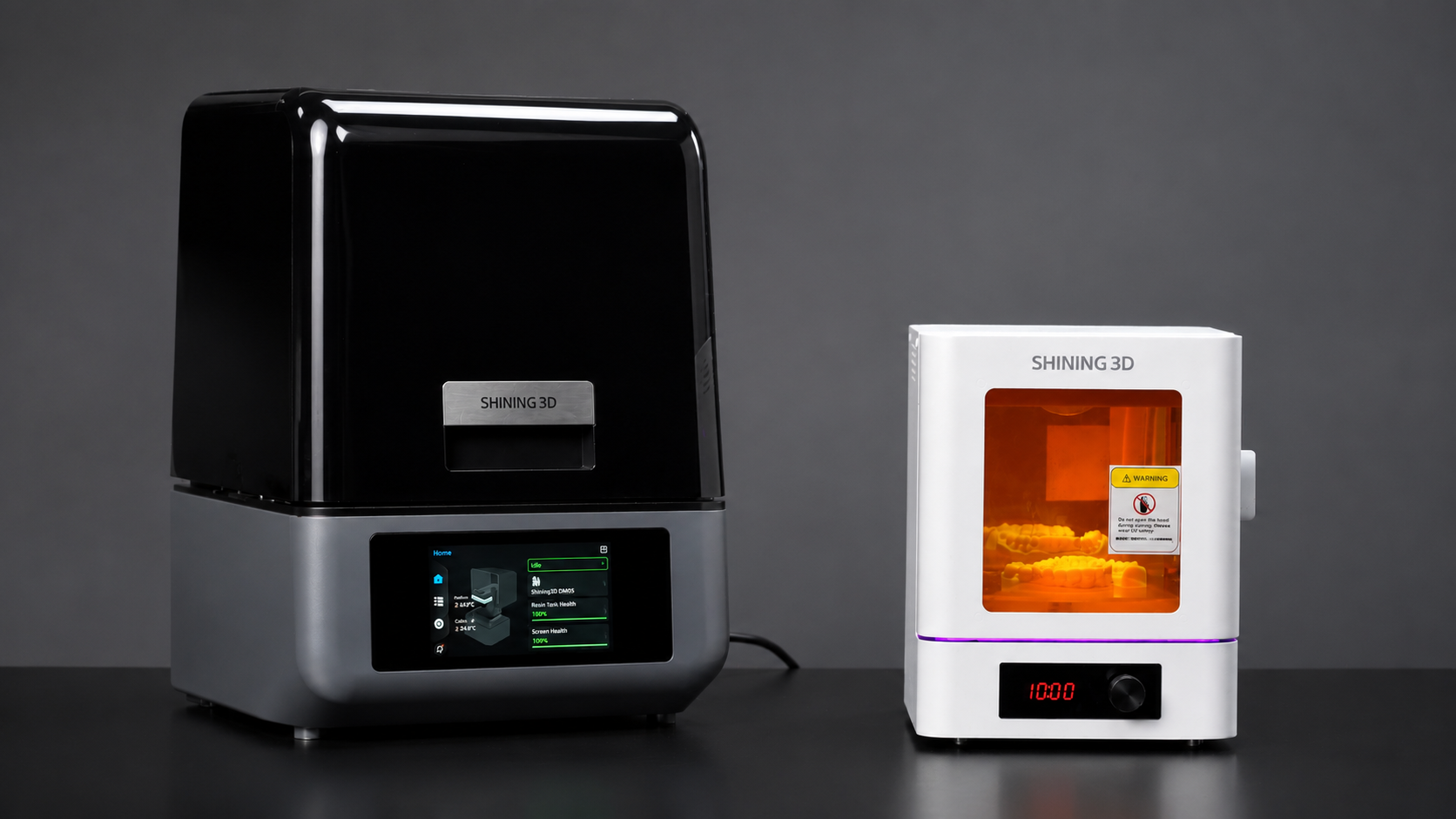
For example, AccuFab-Aris from SHINING 3D DENTAL incorporates one-click auto-leveling and automatic Z-axis calibration. These functions can reduce manual setup and help users prepare the printer without extensive technical knowledge.
This matters because a dental printer is most useful when it fits naturally into the existing workflow rather than requiring a separate technical process every time a model needs to be produced.
Why Automated Setup Matters for Dental Model Production
Accuracy is an important consideration in dental models, but achieving consistent results also depends on how the printer is prepared. Incorrect platform leveling or calibration can contribute to failed prints, uneven adhesion, or dimensional inconsistencies.
Automated setup features can reduce the number of variables users need to manage. With AccuFab-Aris, automated calibration helps simplify preparation before printing. The system also uses a thermostatic build platform designed to maintain a temperature of around 30°C, helping provide a more controlled printing environment.
For users evaluating a 3D printer for dental models, these features can be more relevant to daily productivity than specifications considered in isolation. A printer with sophisticated hardware still requires practical usability if it is expected to handle regular production.
From Digital Scan to Physical Model
The effectiveness of dental model 3D printing depends heavily on how well different stages of the digital workflow work together. A typical process may include intraoral scanning, CAD design, file preparation, slicing, printing, washing, and post-processing.
If each stage requires separate software, manual file transfers, and repeated parameter adjustments, the workflow can become unnecessarily complicated.
SHINING 3D DENTAL connects its digital dentistry workflow through the SHINING 3D ecosystem. With SHINING FLOW, scan data can move into the design and printing process, while automatic nesting and slicing help prepare files for printing with compatible AccuFab systems.
This type of integration can reduce repetitive file handling and make the transition between digital design and physical production more straightforward.
Reducing the Technical Burden on Dental Teams
Not every dental practice has a dedicated 3D printing technician. In many environments, equipment needs to be operated by team members who may have limited experience with additive manufacturing.
This makes usability an important factor when selecting a dental model 3D printer. A system should provide clear operating procedures and reduce the number of technical decisions required during routine printing.
AccuFab-Aris is designed with a compact form factor and weighs approximately 8.5 kg, making it easier to place within different working environments. Its connectivity options include USB, Wi-Fi, and Ethernet, providing flexibility when integrating the printer into an existing digital setup.
The practical objective is simple: users should be able to spend more time handling dental cases and less time troubleshooting basic printer preparation.
Consistency Is Essential for Routine Production
A printer used occasionally can tolerate a more complicated setup process. A printer used every day needs greater consistency.
For dental model 3D printing, consistency involves more than producing a successful print. Users also need predictable resin handling, stable printing conditions, reliable calibration, and clear maintenance information.
AccuFab-Aris includes features such as resin tank NFC detection and residue detection. Its health dashboard provides information related to components including the resin tank and screen lifespan. These functions can help users identify equipment conditions before they affect production.
Such monitoring can be particularly useful when multiple team members share responsibility for the printer. Instead of depending entirely on individual experience, built-in system information can provide additional guidance for routine operation and maintenance.
Does a Plug-and-Print System Improve Production Efficiency?
The answer depends on the workflow and printing volume, but reducing manual preparation can make a measurable difference over time.
Consider a practice that produces several models each day. If every print requires manual leveling, repeated calibration, or extensive parameter adjustments, those small tasks accumulate. A more automated system can reduce the time spent on preparation and allow staff to focus on other workflow stages.
AccuFab-Aris has a stated print speed of up to 60 mm/h and a 130 × 80 mm printing platform. Its 200 mL resin tank is designed to support routine dental production.
However, printing speed should not be evaluated alone. The actual workflow time also includes model preparation, machine setup, printing, washing, curing, and inspection. A practical assessment should therefore consider the complete production cycle.
Beyond Models: Planning for Broader Applications
A dental printer purchased for model production may eventually become part of a wider digital workflow. As digital dentistry expands within a practice or laboratory, the same printing system may be used for additional applications.
AccuFab-Aris supports applications including dental models, restorations, dentures, surgical guides, and splints. This range allows users to consider potential future requirements when evaluating the system.
For teams investing in digital production equipment, this can be useful because equipment utilization matters. A system that can support multiple appropriate applications may provide greater operational flexibility than a printer designed around a single workflow.
Making Dental 3D Printing Easier to Adopt
The transition to digital production does not need to mean adding unnecessary complexity to everyday dental work. A well-designed dental model 3D printer should make the process from digital file to physical model as straightforward as possible.
Plug-and-print features such as automatic calibration, monitoring functions, stable printing conditions, and integrated software can reduce routine technical tasks. These improvements are particularly relevant for practices and laboratories where different team members may need to operate the equipment.
SHINING 3D DENTAL combines digital scanning, software, and 3D printing within a broader dental workflow, while AccuFab-Aris provides automated setup and monitoring features for routine production
For teams exploring dental model 3D printing, the right printer should be evaluated according to actual case volume, required applications, staff experience, available workspace, and the complete production process. When setup and operation are designed around real dental workflows, plug-and-print technology can make in-house model production more predictable, accessible, and efficient.