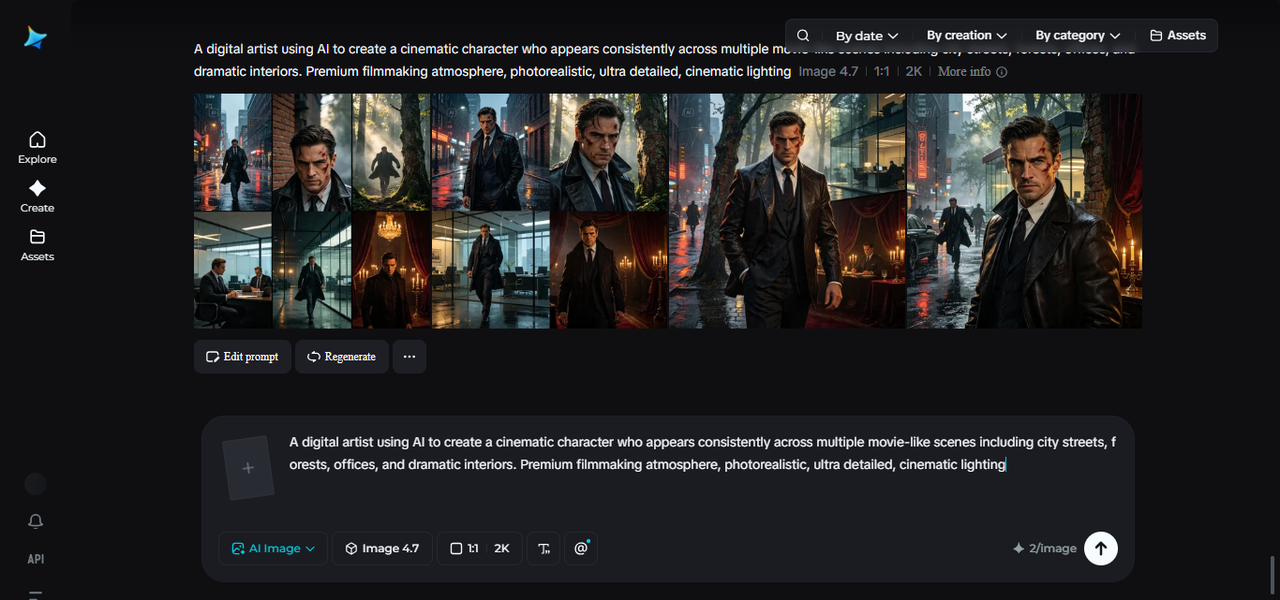
One of the biggest giveaways of AI-generated video has always been the “shapeshifting” problem. This character looks slightly different in every scene, as if a new actor was cast for each shot. It breaks immersion instantly.
With Dreamina’s Seedance 2.5 model, that problem is far less common. Characters now maintain their identities across scenes, angles, and movements, making it possible to build genuinely cinematic stories rather than a series of mismatched clips.
Why character consistency is the hardest part of AI video
Anyone can generate a striking single frame. The real challenge starts the moment a character needs to move, turn their head, walk across a room, or appear again a minute later in a different scene. Every additional frame is another chance for small details — a jawline, hair color, an outfit — to drift.
This is why so many early AI videos felt more like a slideshow of similar-looking people than one continuous character. Viewers pick up on these inconsistencies almost instinctively, even if they can’t always explain what feels “off.”
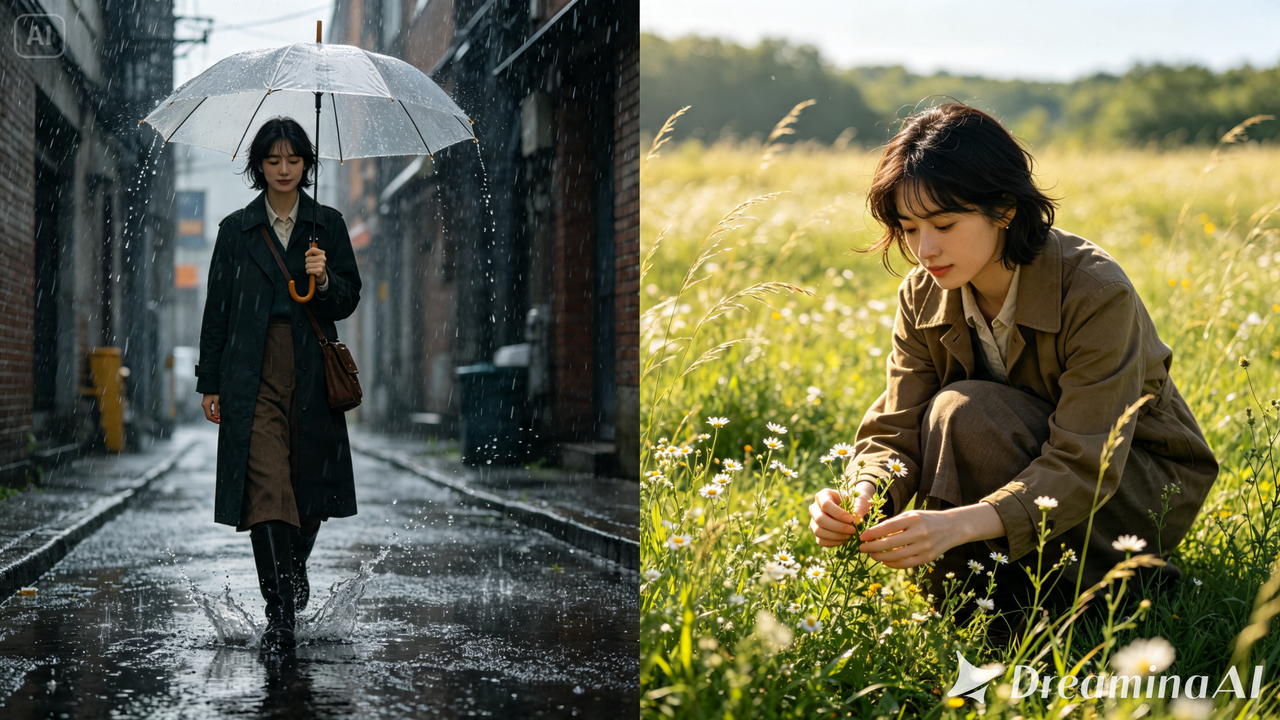
Where the Seedance 2.5 upgrades actually show up on screen
Seedance 2.5 reworks character consistency at a structural level, addressing the cumulative errors that used to build up over a sequence rather than patching the problem after the fact.
Spatial and temporal consistency
It has improved, so a character’s face, proportions, and clothing stay locked in place across an entire scene — not just within a single shot. This matters most in scenes with complex movement, where a character might turn, walk, or interact with another person, since these were exactly the situations where consistency used to break down fastest.
Multi-person scenes are far more reliable now
Previously, a single character could sometimes get duplicated into near-identical “twins” within the same frame due to how the model interpreted spatial relationships, and face-swapping across multiple people often fell apart. Both issues have been significantly reduced, which matters a lot for anything involving more than one person on screen — a conversation, a group shot, or a crowd scene.
Reference-driven tools give the model a stronger anchor
Uploading a photo now gives the model a much clearer reference for how a character should look throughout a video. Green screen reference support adds another layer here, letting creators anchor tricky physical interactions — like one person touching another’s face at a specific angle — to real reference footage. White-model blockout references help with multi-person movement, mapping out how several people should walk and position themselves relative to each other, something that’s notoriously hard to describe in a text prompt alone.
Longer clips and better extensions mean fewer seams
Single-clip duration has doubled from 15 to 30 seconds, meaning fewer stitched-together segments — and fewer stitches mean fewer chances for a character to visibly change between them. Extension quality has also improved enough to support two full rounds of extension without the noticeable drop in likeness earlier versions introduced after just one.
Put together, these changes mean a character introduced in the first second of a video can still look like themselves by the last — whether the video runs 15 seconds or stretches out far longer.
Bring your character to life in three easy moves
Turning a photo or an idea into a fully animated, cinematic character takes just three steps in Dreamina.
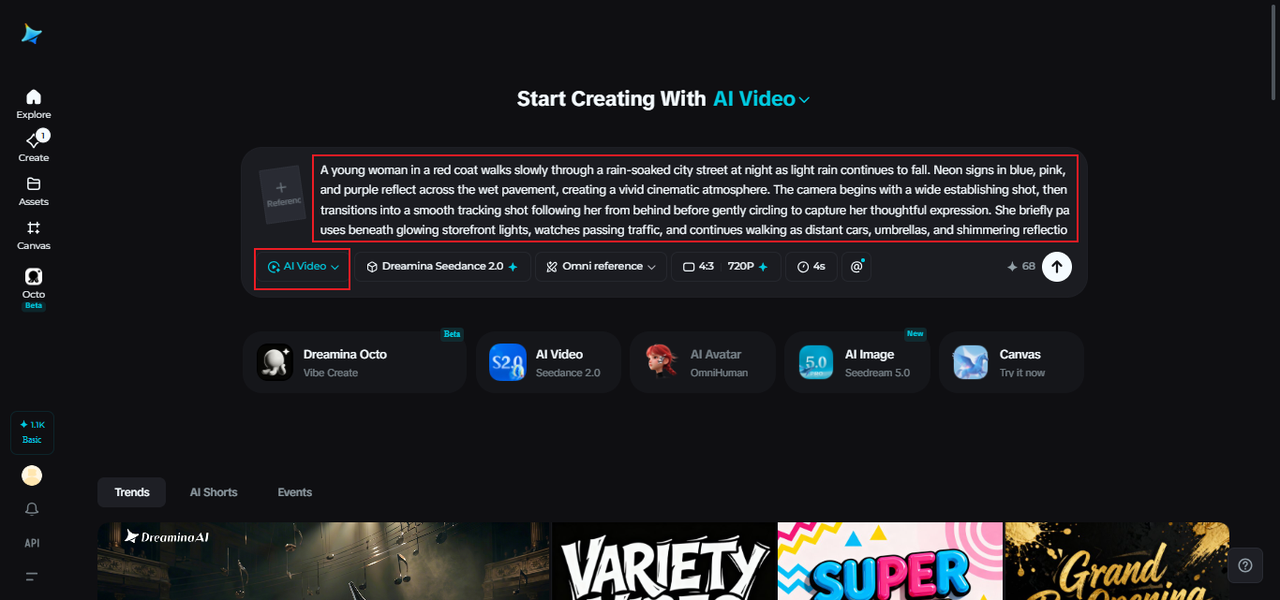
Step 1: Set your scene with a prompt and a photo
Visit Dreamina, sign in, and head to the “AI Video” section. If you want the video built around a specific person or character, click “Add reference image” and upload a clear photo — this gives the model something concrete to stay consistent with. Then write a prompt describing the scene, action, and mood. For a pure text-to-video creation, skip uploading and just describe your character directly.
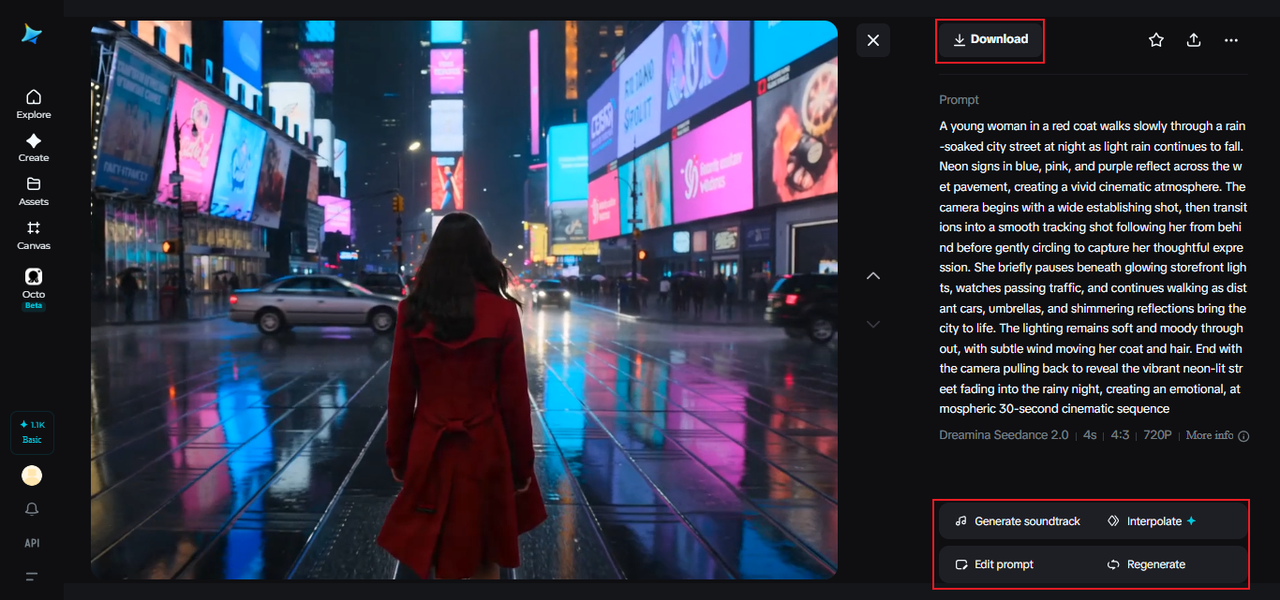
A sample prompt might read: A young woman in a red coat walks slowly through a rain-soaked city street at night as light rain continues to fall. Neon signs in blue, pink, and purple reflect across the wet pavement, creating a vivid cinematic atmosphere. The camera begins with a wide establishing shot, then transitions into a smooth tracking shot following her from behind before gently circling to capture her thoughtful expression. She briefly pauses beneath glowing storefront lights, watches passing traffic, and continues walking as distant cars, umbrellas, and shimmering reflections bring the city to life. The lighting remains soft and moody throughout, with subtle wind moving her coat and hair. End with the camera pulling back to reveal the vibrant neon-lit street fading into the rainy night, creating an emotional, atmospheric cinematic sequence.
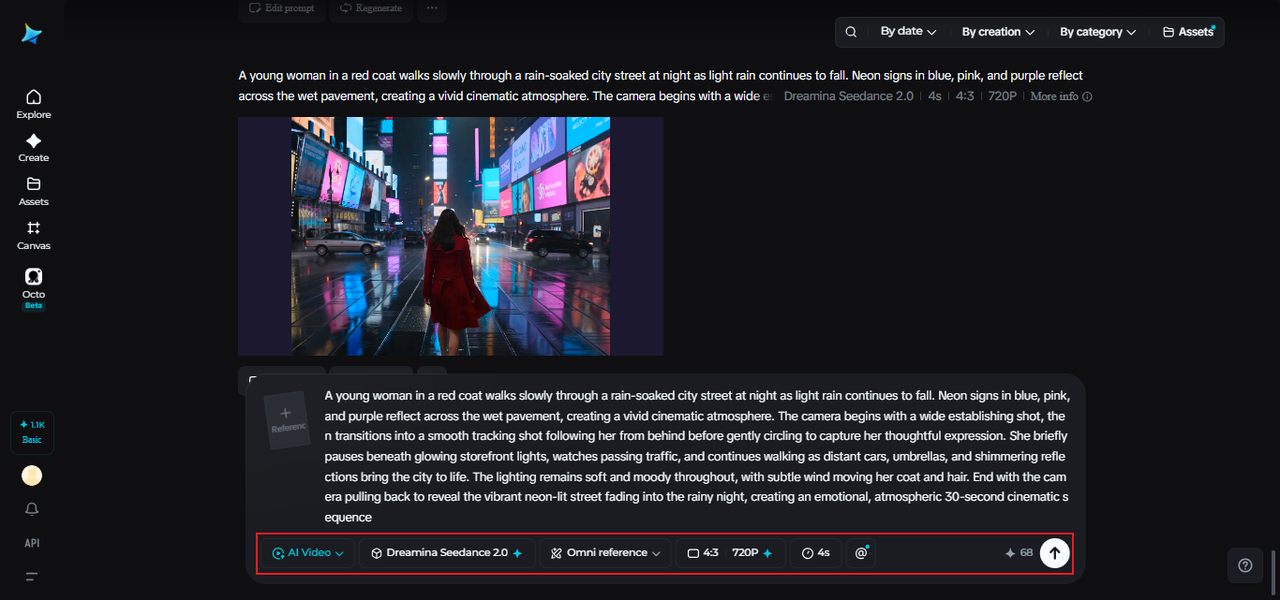
Step 2: Let Seedance 2.5 bring it to motion
With your prompt ready, select the Seedance 2.5 model for generation. Choose your video length, then pick an aspect ratio suited to where the video will live — 16:9 for YouTube, or 9:16 if it’s headed to TikTok. Click Dreamina’s generation icon and give it a few seconds to process the request into moving footage.
Step 3: Refine the details and share it out
Before saving, use Dreamina’s AI editing tools to give the video a final polish. Upscale sharpens the resolution for a cleaner, more professional finish, while Generate Soundtrack adds audio that matches the tone you’re going for. Once everything looks right, export the video and share it wherever your audience is waiting.
Small character choices that go a long way
A prompt doesn’t need to be complicated to help the model stay consistent — it just needs to be specific. Describing distinct, memorable details tends to work better than vague descriptions, since the model has something concrete to hold onto scene after scene:
-
A specific hair color, style, or accessory
-
A consistent outfit or color palette
-
A clear age range or build
These small anchors give the model less room to drift and more reason to keep bringing the same character back, shot after shot.
What this means for storytelling, not just visuals
Consistent characters aren’t just a technical win — they’re what actually lets a story land emotionally. Viewers connect with characters they can recognize and follow, and that connection is impossible to build if the person on screen looks different every few seconds. With that groundwork solved, creators can focus on what a story is actually about instead of fighting the tool to keep a face looking the same.
Building a genuinely cinematic video used to require a cast, a crew, and a lot of patience with continuity. With Dreamina and its Seedance 2.5 model, a single photo and a well-written prompt are enough to bring a character to life — and keep them looking like themselves from the opening shot to the final frame.